I Deleted nodemon and dotenv in Node 24
Replace nodemon with node --watch and dotenv with --env-file in Node 24. What each flag covers, .env parsing rules and a migration checklist.
On this page 17 sections
Two packages had been in my package.json for a decade: nodemon since 2015, dotenv about as long. Last week both came out. Their replacements were already installed, because they ship with Node.
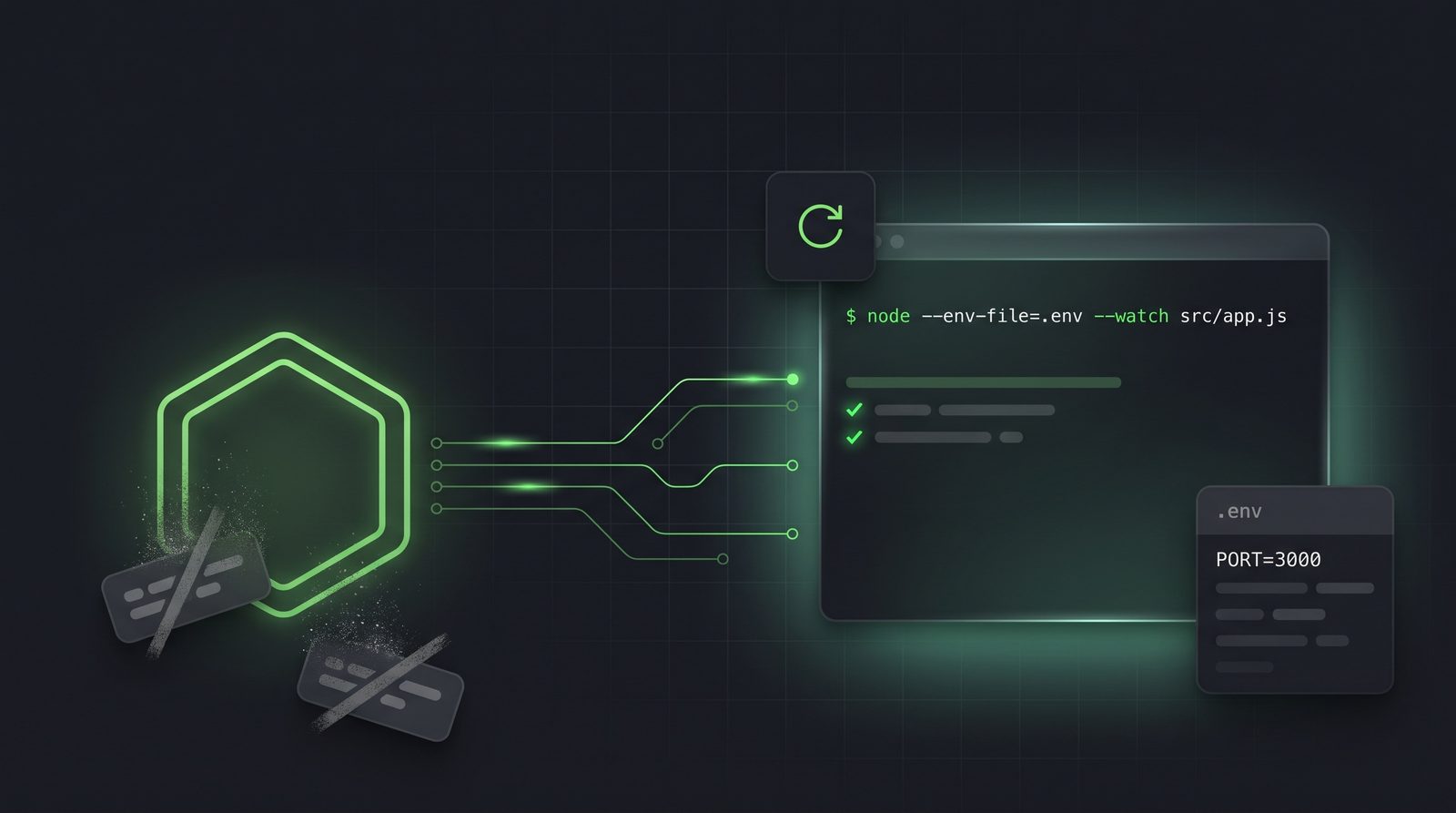
node --env-file=.env --watch src/app.jsThat command loads the env file before your code runs and restarts the process whenever a file it imports changes. Watch mode went stable in Node 22. The .env flags dropped their experimental label in Node 24.10. If you’re still on an older release, that’s two more reasons to upgrade, and the complete Node.js 24 breakdown covers the rest.
Quick answer
For a plain Node or TypeScript service on Node 24, you don’t need nodemon or dotenv. --watch handles restarts and --env-file handles .env loading.
You still need nodemon if your dev loop runs non-Node commands, needs ignore patterns or a restart delay, or watches extra directories on Linux. You still need dotenv (with dotenv-expand) if your .env files reference other variables with ${VAR}.
At a glance
| nodemon | node --watch |
|
|---|---|---|
| What it watches | Directory tree, filtered by extension | Entry file plus everything it imports |
| Extra paths | --watch dir |
--watch-path (macOS and Windows only) |
| Ignore patterns | Yes | No |
| Restart delay | Yes | No |
| Run non-Node commands | Yes (exec, execMap) |
No |
| Event hooks | restart, crash |
No |
| TypeScript | Through ts-node or tsx |
Native type stripping |
| Install | npm package | Built in |
| dotenv | --env-file |
|
|---|---|---|
| Loads before your code | Only if imported first | Always |
| Multiple files | Yes | Repeat the flag |
| Optional file | Yes | --env-file-if-exists |
${VAR} expansion |
With dotenv-expand |
No |
| Overrides existing env | With override: true |
No |
Sets NODE_OPTIONS |
No | Yes |
| Install | npm package | Built in |
How node --watch decides what to restart
Point it at an entry file. Node tracks that file plus every module it imports or requires, and restarts the process when any of them changes. You don’t list directories or write a glob.
After the first run finishes, you see a line like this:
Completed running 'src/app.js'. Waiting for file changes before restarting...The dependency graph is the part that differs from nodemon. nodemon watches a directory tree and restarts on any matching extension, whether or not your code loads that file. Node watches what your program loads. A new file triggers a restart only once something imports it. For most services that’s what you wanted from nodemon anyway, without the config.
TypeScript needs no extra step. Node 24 strips types by default, so the entry can be a .ts file:
node --watch src/app.tsNo ts-node, no tsx and no build watcher in a second terminal. Native TypeScript support in Node.js 24 explains what type stripping removes and what it rejects.
Two limits from the docs. --watch needs a file path, so it doesn’t work with --eval, --check, the REPL or --run. And it isn’t only for servers: node --test --watch reruns your built-in test suite on every save.
Watching files your code doesn’t import
Sometimes the import graph isn’t the right set. A template, a SQL migration or a config file read through fs never shows up as an imported module. --watch-path covers those:
node --watch-path=./src --watch-path=./templates src/app.jsPass the flag once per directory. It turns on watch mode by itself, but read the docs closely: --watch-path replaces import tracking, even when you also pass --watch. Only the paths you list get watched, so include your source directory as well as the extras.
It’s also platform-limited. The Node 24 docs list --watch-path as macOS and Windows only, and other platforms throw ERR_FEATURE_UNAVAILABLE_ON_PLATFORM. I use it on macOS without trouble. If your team develops on Linux, or inside a Linux container, this is where nodemon still earns its place.
Keeping output and choosing the kill signal
By default a restart clears the terminal. That’s fine until you need a stack trace that scrolled away half a second ago. Turn the clearing off:
node --watch --watch-preserve-output src/app.jsFor a service that prints a startup banner and little else, leave the default. When you’re debugging a crash loop, keep the output.
On each restart Node sends the running process SIGTERM. If your server drains connections or flushes a queue on SIGTERM, every reload pays that cost. Node 24.4 added a flag to change the signal:
node --watch --watch-kill-signal=SIGKILL src/app.jsSIGKILL ends the process at once with no cleanup, which is usually what you want while developing. The docs mark this flag as Active Development, so its behaviour may still change. Production still needs the graceful path, which the health checks and graceful shutdown guide walks through.
Loading .env without dotenv
require('dotenv').config() was the first line of index.js in every project I started for years. Node turns that line into a flag.
node --env-file=.env app.jsNode reads the file before your code runs and puts the keys in process.env. Because it happens before any module loads, you can’t hit the classic dotenv bug where an import reads process.env.DATABASE_URL before config() runs.
The parsing rules, from the Node 24 docs:
# Full-line comments are ignored
PORT=3000                  # so is text after a #
USERNAME="nodejs"          # quotes are stripped: ", ' or `
export REGION=eu-west-1    # a leading export is ignored
PRIVATE_KEY="-----BEGIN KEY-----
abc123
-----END KEY-----"         # quoted values can span lines
Multi-line values keep their newlines, which matters for PEM keys pasted into a local env file. Because # starts a comment, quote any value that contains one: PASSWORD="abc#123".
One behaviour catches people moving from dotenv. A variable already in the environment wins. Set a value in your shell and the file won’t overwrite it:
SHARED=from_os node --env-file=.env app.js
# process.env.SHARED is "from_os", even if .env sets SHARED
That’s usually right. The real environment, set by your shell or deploy platform, should beat a file in the repo.
The flag also applies the variables that configure Node itself, such as NODE_OPTIONS. Putting NODE_OPTIONS=--max-old-space-size=4096 in .env works with --env-file. dotenv can’t do that, because Node has already started by the time it runs.
Layering multiple env files
Pass --env-file more than once. For any key two files share, the later file wins.
node --env-file=.env --env-file=.env.local app.jsThat gives you a committed .env with safe defaults and a gitignored .env.local for each developer’s own values. If both set DATABASE_URL, Node uses the one from .env.local. The config files guide covers the .gitignore and .env.example side of this setup.
Point --env-file at a file that doesn’t exist and Node stops:
node: .env.nope: not foundThat’s the right default for a file your app can’t run without. For an optional file, use the other flag:
node --env-file-if-exists=.env.local app.jsA missing file then prints a notice and the process keeps going:
.env.local not found. Continuing without it.My pattern: --env-file=.env for the required base and --env-file-if-exists=.env.local for per-machine overrides. CI and production set variables through the platform, so the optional file simply isn’t there.
Editing .env restarts the dev server
With both flags on, watch mode also watches the env file. Change a value in .env and the process restarts with the new value. Node fixed this in PR #54109, so the child process re-reads the file on every restart, and Node 24 includes it.
nodemon doesn’t do this by default. Its FAQ tells you to add --watch .env yourself.
Loading env from code
The flag covers most cases. When you need to load a file conditionally, two APIs do the same work in JavaScript.
import { loadEnvFile } from 'node:process';
import { parseEnv } from 'node:util';

// Load a file into process.env (defaults to ./.env)
loadEnvFile('.env.test');

// Parse a string into an object without touching process.env
const config = parseEnv('PORT=3000\nHOST=localhost');
loadEnvFile() follows the same rule as the flag: it won’t overwrite a variable that already exists, and that includes one set by an earlier loadEnvFile() call. There’s no override option yet (issue #63027). If you need one, parse with parseEnv() and assign the keys yourself. NODE_OPTIONS in a file loaded this way has no effect, because Node is already running.
Validate env at startup
Neither dotenv nor --env-file checks your values. A missing DATABASE_URL or a PORT=abc loads fine and fails later, deep inside a request. Parse process.env once at startup, so a bad config stops the process with a clear message:
// src/env.js
import { z } from 'zod';

const Env = z.object({
  NODE_ENV: z.enum(['development', 'test', 'production']).default('development'),
  PORT: z.coerce.number().int().positive().default(3000),
  DATABASE_URL: z.string().url(),
});

export const env = Env.parse(process.env);
Import env everywhere instead of reading process.env directly. The Joi vs Zod validation guide covers the schema side in more depth.
The combined package.json
Both flags fit in one script. What used to be two installed packages is now a set of flags the runtime already understands.
{
  "engines": { "node": ">=24.10" },
  "scripts": {
    "dev": "node --env-file=.env --env-file-if-exists=.env.local --watch src/app.js",
    "test": "node --env-file-if-exists=.env.test --test",
    "start": "node src/app.js"
  }
}
start has no flags on purpose. In production the platform sets the environment and a supervisor handles restarts. Pin the Node version with an .nvmrc file as well, so a teammate on Node 20 gets a clear error instead of an “unknown flag” crash.
Migration checklist
- Upgrade to Node 24.10 or later and set
enginesand.nvmrc. - Replace
nodemon src/app.jswithnode --watch src/app.jsin your scripts. - Add
--env-file=.env(and--env-file-if-existsfor optional files) to every script that used dotenv. - Delete
require('dotenv').config()orimport 'dotenv/config'from your entry file. - Search your
.envfiles for${. Any hit needs a rewrite or a reason to keep dotenv. - Delete
nodemon.jsonor thenodemonConfigkey inpackage.json. - Run
npm uninstall nodemon dotenvand commit the lockfile.
When to keep nodemon or dotenv
| Keep this | If you need |
|---|---|
| nodemon | To restart a non-Node command (exec, execMap) |
| nodemon | Ignore patterns, a restart delay or restart/crash hooks |
| nodemon | Extra watch directories on Linux, where --watch-path isn’t supported |
| dotenv + dotenv-expand | ${VAR} references between keys |
| dotenv | override: true, or support for Node versions older than 20.6 |
| dotenvx or a secrets manager | Encrypted env files or secrets fetched at runtime |
Here’s the rule I settled on. A plain Node or TypeScript service uses node --watch --env-file. A dev loop that orchestrates other processes keeps nodemon. A project built on ${VAR} expansion or vault tooling keeps dotenv.
Watch mode is not a process manager
--watch restarts on file changes, which is the opposite of what production needs. Run your service under PM2, systemd or your platform’s supervisor, and keep --watch out of the production command. A process that restarts on disk writes can turn a deploy into an outage. Part I of the production setup guide covers process managers.
--env-file is fine in production, though most platforms inject variables directly, and a secrets file on disk is one more thing to protect. The Node.js security checklist covers where secrets should live.
Five mistakes to avoid
- Combining
--watch-pathwith--watchand expecting both.--watch-pathturns off import tracking. List your source directory too. - Leaving
#unquoted in a value.PASSWORD=abc#123loads asabc. Quote it. - Expecting the file to beat your shell. An exported variable in your terminal silently wins over
.env. Runenv | grep KEYwhen a value looks wrong. - Keeping
${VAR}references. Node loadsURL=${HOST}/apiliterally, with no expansion and no error. - Trusting watch mode inside Docker without testing it. File events from bind mounts don’t always reach the container. One Docker forum thread reports
node --watchrestarting only once underdocker compose watch. Check it on your setup before you rely on it.
Frequently Asked Questions
Do I still need nodemon in 2026?
Not for a plain Node or TypeScript service on Node 22 or later. node --watch restarts on changes to any imported file. Keep nodemon for non-Node commands, ignore patterns, restart delays or extra watch paths on Linux.
Do I still need dotenv?
Not on Node 24.10 or later, unless you use ${VAR} expansion, need override: true or support Node versions older than 20.6.
Is --env-file stable?
Yes. --env-file, --env-file-if-exists and process.loadEnvFile() all dropped the experimental label in Node 24.10 and 22.21.
Does node --watch work with TypeScript?
Yes. On Node 24, node --watch src/app.ts runs the file with type stripping and restarts on changes. It doesn’t type-check, so run tsc --noEmit separately.
Can node --watch ignore files?
No. It has no ignore option. Since it only watches imported modules, you rarely need one. When you do, use nodemon.
Does --env-file override existing environment variables?
No. A variable already set in the environment wins over the file. Among several --env-file flags, the later file wins.
Related reading
- Node.js 24: The Game Changer Release. Part one of this series and the release that made both flags stable.
- I Deleted Jest: Testing with Node’s Built-in Test Runner. The next part, with
node --test --watchand--env-filefor tests. - Native TypeScript Support in Node.js 24. What
node --watch src/app.tscan and can’t run. - 15 Configuration Files Every Developer Should Know.
.env,.env.exampleand.nvmrcdone right. - Health Checks and Graceful Shutdown of an Express App. What your
SIGTERMhandler should do in production. - Node.js Security Checklist. Keeping secrets out of the repo.
Thank you for reading and I hope you find it helpful. I sincerely request for your feedback in the comment’s section.