If your codebase is still slinging AMD define() calls or UMD wrappers like it’s 2015, you’re not alone. But with Node 20+ and browsers catching up, it’s time to ditch the duct tape and embrace ESM. This guide gives you a battle plan for making the switch without everything catching fire.
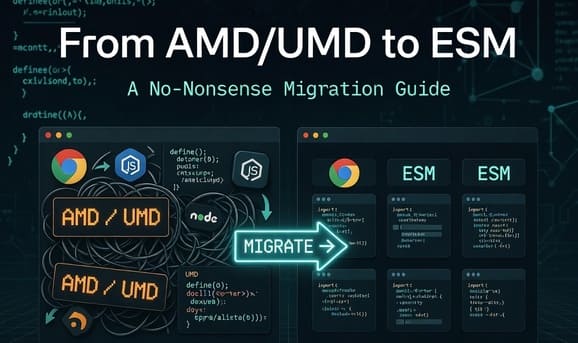
Native import/export means tree-shaking works, your build tools get faster, and Next.js or Vite stop complaining. Here’s the quick version: audit your code, use codemods for the boring find-replace work, keep both formats working during the transition, then drop UMD when you’re ready. Most teams see 20-50% smaller bundles.
Why Bother?
ESM is the standard now. Browser support is solid, Node 14+ handles it, and tools like esbuild compile it in milliseconds. The main wins:
- Imports just work — no more
requirefighting you on resolution - Tree-shaking — Rollup can drop unused exports. I cut a client’s bundle by 30% this way
- Builds are faster — Vite, esbuild, SWC don’t need Babel polyfills for ESM
- Fewer headaches — SvelteKit, Remix, and most new stuff expect ESM out of the box
If you’re still on AMD or UMD, you’re fighting the current. Time to swim with it.
Audit First
Don’t just start rewriting. Figure out what you’re dealing with:
Find AMD/UMD patterns:
define(andrequire(calls- UMD IIFEs like
(function(root, factory) {...})(this, function() {...}) window.MyLib = ...orglobal.exports
Check your deps:
npm ls --depth=0
npm view pkg-name dist
madge is great for visualizing your import graph:
npx madge --circular --extensions js src/
If you find circular dependencies, fix those before touching anything else.
Peek at your package:
npm pack --dry-run
Look for main: dist/umd.js vs module: dist/esm.js.
A simple audit script:
#!/bin/bash
echo "Hunting AMD/UMD..."
grep -r "define(" src/ || echo "No AMD found"
grep -r "require(" src/ || echo "No require found"
grep -r "function(root, factory)" src/ || echo "No UMD IIFEs"
npx madge --circular src/ && echo "Circular deps detected"
Budget a day or two for a mid-sized library. Write down what you find.
Migration Strategies
Don’t rewrite everything at once. Here’s what actually works:
-
Codemods — jscodeshift can automate
define/require→import/export. Check@jscodeshift/add-importsor write custom transforms for your specific patterns. -
Transitional builds — Use Rollup with
@rollup/plugin-commonjsto bundle old CommonJS into ESM. esbuild is faster if you just need--format=esm. -
Dual package support — Add both to your
package.json:{ "exports": { ".": { "import": "./dist/esm/index.js", "require": "./dist/umd/index.js" } } }Node and browsers pick the right one automatically.
-
UMD bridge — Keep publishing a UMD build for a release or two. Gives your users time to update.
Walkthrough: Converting a Tiny Module
Let’s convert a simple logger from AMD to ESM.
Original AMD code
// src/logger.js
define(['./helper'], function(helper) {
  function log(msg) {
    helper.format(msg);
    console.log(msg);
  }
  return { log };
});

// src/helper.js
define([], function() {
  return {
    format: function(msg) { return '[LOG] ' + msg; }
  };
});
Step 1: Run a codemod
npx jscodeshift -t https://raw.githubusercontent.com/jlongster/tejs/main/utils/convert-to-esm.js src/ --extensions=js
Or do it by hand since it’s small:
// src/logger.mjs
import { format } from './helper.mjs';

export function log(msg) {
  format(msg);
  console.log(msg);
}
// src/helper.mjs
export function format(msg) {
  return '[LOG] ' + msg;
}
Step 2: Update tests
Add "type": "module" to your package.json, or use .mjs files.
// test/logger.test.mjs
import { log } from '../src/logger.mjs';
import { jest } from '@jest/globals';

describe('Logger', () => {
  it('logs formatted message', () => {
    const mock = jest.spyOn(console, 'log').mockImplementation();
    log('Hello');
    expect(mock).toHaveBeenCalledWith('[LOG] Hello');
    mock.mockRestore();
  });
});
Run with node --experimental-vm-modules node_modules/.bin/jest, or update jest.config.js for ESM support.
Step 3: Build both formats
Install Rollup:
npm i -D rollup @rollup/plugin-commonjs @rollup/plugin-node-resolve
Config:
// rollup.config.js
import commonjs from '@rollup/plugin-commonjs';
import resolve from '@rollup/plugin-node-resolve';

export default {
  input: 'src/logger.mjs',
  output: [
    { file: 'dist/esm/index.js', format: 'esm' },
    { file: 'dist/umd/index.js', format: 'umd', name: 'Logger' }
  ],
  plugins: [resolve(), commonjs()]
};
Run npx rollup -c. Now you have both formats in dist/.
Step 4: Publish
{
  "main": "dist/umd/index.js",
  "module": "dist/esm/index.js",
  "exports": {
    ".": {
      "import": "./dist/esm/index.js",
      "require": "./dist/umd/index.js"
    }
  },
  "files": ["dist/", "src/"]
}
npm publish and let Node figure out which format consumers need.
Other Bundlers
esbuild is simpler if you just need speed:
esbuild src/logger.mjs --bundle --format=esm --outfile=dist/esm/index.js
esbuild src/logger.mjs --bundle --format=umd --outfile=dist/umd/index.js --global-name=Logger
Webpack is trickier. Use output.library.target: 'umd' for backward compat, or flip on experiments: { outputModule: true } for native ESM. copy-webpack-plugin can duplicate your builds.
Testing and CI
Jest needs extra config for ESM:
{
  "extensionsToTreatAsEsm": [".mjs"]
}
Vitest works out of the box.
Node flags for ESM:
--loader ts-node/esmfor TypeScript--experimental-specifier-resolution=nodelets you import./filewithout adding.js
GitHub Actions example:
- name: Test ESM
  run: node --experimental-specifier-resolution=node node_modules/.bin/jest
- name: Build
  run: npm run build
Things That Go Wrong
Watch out for these:
-
Dynamic require —
require(variable)doesn’t work in ESM. Switch toimport()orawait import(variable + '.js'). -
Circular dependencies — ESM is stricter about these. Run
madgeto find them, then refactor to event emitters or pass deps explicitly. -
Top-level
this— UMD usesthisfor globals. ESM usesundefined. UseglobalThisinstead, or let your bundler handle it. -
Consumers expecting globals — If users do
window.MyLib, your UMD build needsname: 'MyLib'. Mention in your README when you drop UMD support.
Run rollup-plugin-analyzer to see if your bundle grew unexpectedly.
Rolling Back
- Keep UMD around for at least one major version. Say “ESM is primary, UMD goes away in v2.”
- Document breaking changes in CHANGELOG.md
- Publish to the
nexttag first to test
In my last migration, we kept UMD for 6 months. Nobody complained, and we saw a 25% perf improvement.
Best Practices
- Audit regularly with
madge - Keep both formats working during the transition
- Migrate module by module, not everything at once
- Run tests after each conversion
- Update your README when imports change
Related Articles
Wrap Up
It’s not that hard. Audit, codemod, test, dual-build, then drop UMD when your users have migrated. Most of the pain comes from trying to do it all at once.
What’s your biggest AMD/UMD headache? That’s what I’d tackle first.